No more in-store walk-ins or queues. Set up your eSIM anytime, right from your device.

Fast and frictionless activation
Set up digitally, skip the physical SIM, and take full control
of how you stay connected — all from your device.
No more in-store walk-ins or queues. Set up your eSIM anytime, right from your device.

Switch between work and personal at your fingertips.

Take full control of your line with built-in eSIM security — change, reset, or manage anytime, anywhere.
Find the right plan for you, now with unlimited 5G and 4G data.
An embedded SIM card (eSIM) serves the same purpose as your usual SIM card, except instead of being a physical card, it's directly integrated into your mobile device. Your eSIM is programmed remotely by your telco company and can be used on more than smartphones, you can use them on smartwatches and even some laptops. Unlike its physical version, an eSIM offers flexibility of switching carriers without having to switch out physical cards so you can store multiple numbers on a single device.
Aspect
Physical SIM
eSIM
Device Compatibility
Universally compatible with virtually all phones from the past decade
Works only with newer, eSIM-enabled devices
Phone Switching Flexibility
Easy to move between new and older or backup devices
Less flexible if switching to older or non-eSIM phones
Carrier Changes
Simple in-store purchase and swap
Requires digital onboarding via app or QR code
User Experience
Familiar, tangible and preferred by users who value in-person support
Fully digital, convenient for tech-comfortable users
Risk of Loss
Can be lost, damaged, or misplaced when swapping phones
Cannot be lost or physically removed
Theft Protection
Can be easily ejected by thieves, disabling tracking features
Remains active if the phone is stolen, enabling Find My Phone
Remote Disable
Providers cannot remotely disable, but physical removal is easy
Cannot be physically removed by unauthorised users
Environmental Impact
Requires plastic production and global shipping
No physical waste; environmentally friendlier
Overall Practical Edge
Best for maximum compatibility and hands-on control
Best for security, convenience and sustainability
Follow these steps to learn how to activate your new devices easily.
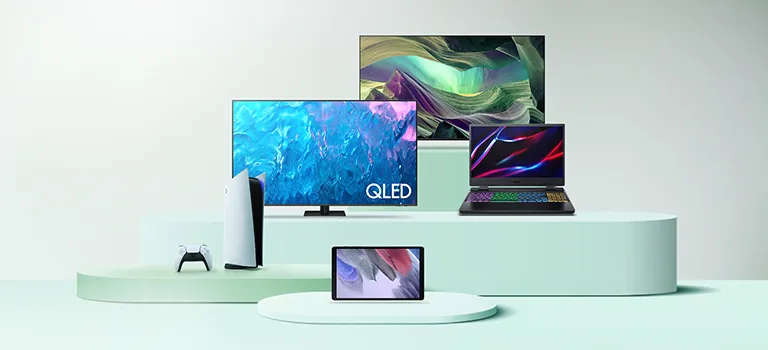
Choose your device to know more
An eSIM, or embedded SIM, is a digital SIM card embedded within a device, eliminating the need for a physical SIM card. It allows users to activate a cellular plan and switch between carriers without requiring a physical SIM swap. eSIMs are commonly found in modern smartphones, tablets, and other connected devices.
The number of eSIMs a device can support depends on the device itself. Some smartphones and devices are designed to support multiple eSIM profiles, allowing users to add and switch between different cellular plans seamlessly. However, it's essential to check your device specifications to determine the exact number of eSIMs it can accommodate. Keep in mind that not all devices support multiple eSIMs, and the capability may vary between manufacturers and models.
Simply download the Maxis app and follow the steps to convert physical sim to eSIM. Select eSIM Malaysia as your SIM type during purchase or plan upgrade. You’ll receive an email with a QR code and instructions for eSIM activation. Make sure you use the same device for scanning the code. This process works across all compatible devices, including eSIM for iPhone and 5G eSIM-enabled smartphones.
Yes, Maxis supports eSIM activation on a wide range of compatible smartphones and smartwatches, allowing you to stay connected without a physical SIM card. With eSIM Malaysia, you can enjoy instant activation, seamless setup, and greater flexibility when managing your mobile connection.
Please note that device compatibility and functionality may vary depending on the model and software version. Some devices support multiple eSIM profiles, while others allow only one active eSIM at a time.
Yes, you can use an eSIM Malaysia plan without needing a physical SIM card. The 5G eSIM is embedded in your device and works independently once eSIM activation is completed. This digital setup is supported on compatible phones, including eSIM for iPhone and selected Android models.
Yes. Many newer phones, including models that support eSIM for iPhone and 5G eSIM, enable an eSIM and a physical SIM to be used simultaneously. This lets you keep separate numbers for work and personal use or add a travel line while abroad. With eSIM Malaysia, it’s easy to switch to an eSIM while still using your existing SIM for added flexibility. Learn about how eSIM compares to a physical SIM in our eSIM vs. physical SIM guide.
In-Store: Get an eSIM activation kit (QR code) at Maxis Centres/Partners.
Online: